
FAQ & Quick Help Guides
Looking for a quick answer or something to keep on hand? This page brings together frequently asked questions, and quick-reference resources for common volunteer tasks at MEL.
Frequently Asked Questions
Books and Materials
-
Individuals can have 5 items out at a time. Families get 5 items per family member (20 total).
-
Up to two renewals per item, whether it's requested in person, by email, or by phone.
-
First, check the library to see whether the book may have been returned and reshelved without being checked in. If you locate it, check the item in. If you cannot find it, make a note of the patron’s name, the book’s barcode number and title in the notebook so the next volunteer or administrator can follow up.
Memberships and Requests
-
Forward email checkout requests to the administrator. Requested books can then be located, checked out for the requested day and placed on the designated rolling-cart shelves for pickup.
-
Follow MEL's new-member procedure and enter the patron information into ResourceMate. If you're unfamiliar with entering a new patron, you can use the Adding a New Patron interactive tutorial on the ResourceMate Tutorials page.
-
Ask the administrator or an experienced volunteer. If the issue needs to be passed along to another shift, leave a clear note with the relevant information rather than guessing.
Fines, Payments, and Donations
-
Yes. never collect more than the cap ($50 max), even if RM shows a higher amount owed. Use the Adjustment tab to bring the balance down to the cap first.
-
Check with the administrator before resolving it in the system.
-
Ask the administrator to process it. Still log the payment and member name in the notebook and transaction sheet , but don't add clip amounts to the daily cash total.
-
Log them into the donation folder, place them on the back counter to be sanitized, and ask the donor if we can thank them in our newsletter.
Troubleshooting
-
Yes. Record the necessary checkout information (patron’s name, barcode, and book title) in the spiral notebook so it can be entered into ResourceMate once;’s it’s back up. check it off when done.
-
Don't assume the book isn't in the collection. Try searching for the title in ResourceMate. The manual notes that an item may appear under a different barcode. If you still cannot resolve the issue, follow the library's procedure for books that cannot be located in the system or ask the administrator for assistance.
-
Recount it, then notify the administrator or leave a note explaining the gap in the day's envelope with the log sheet.
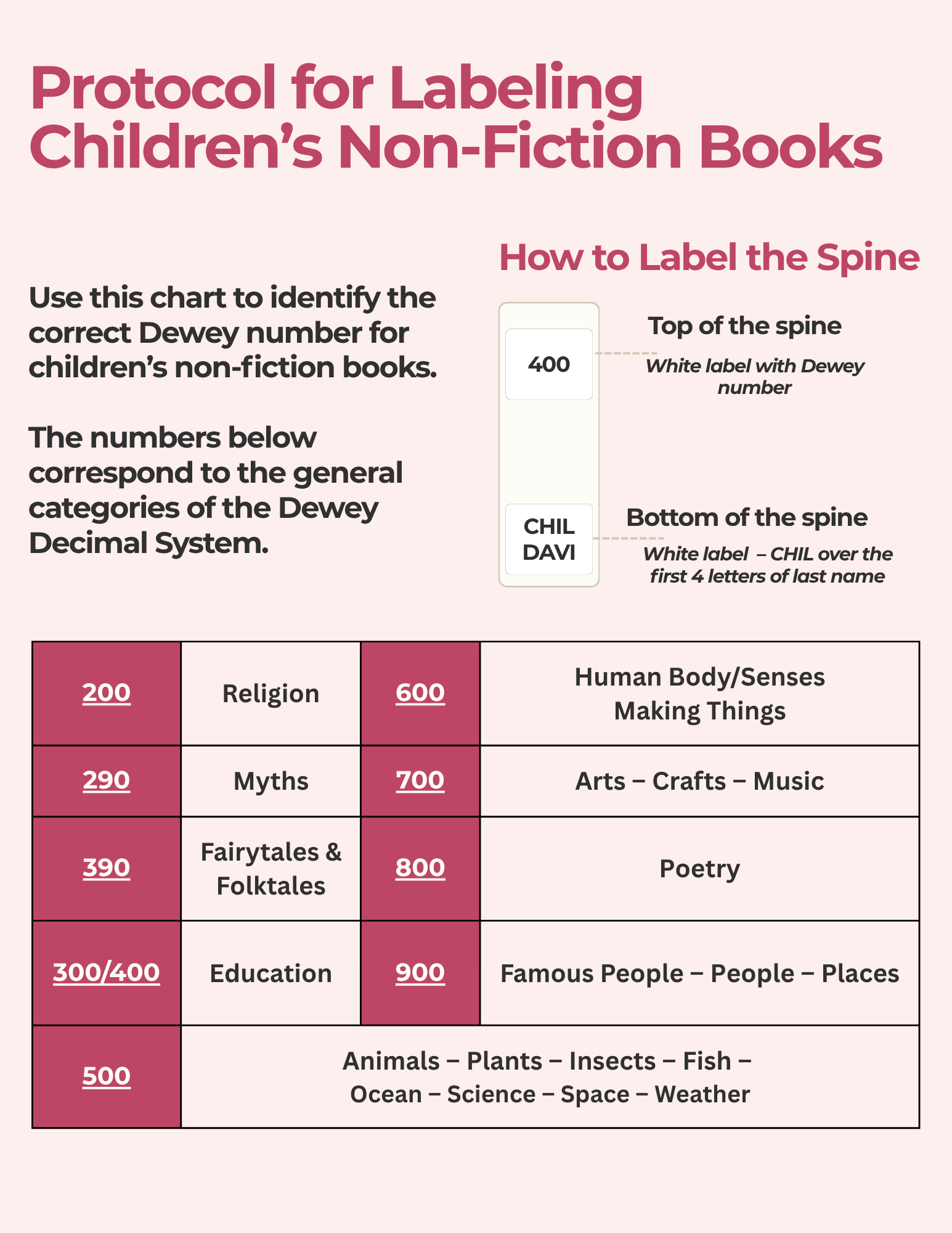
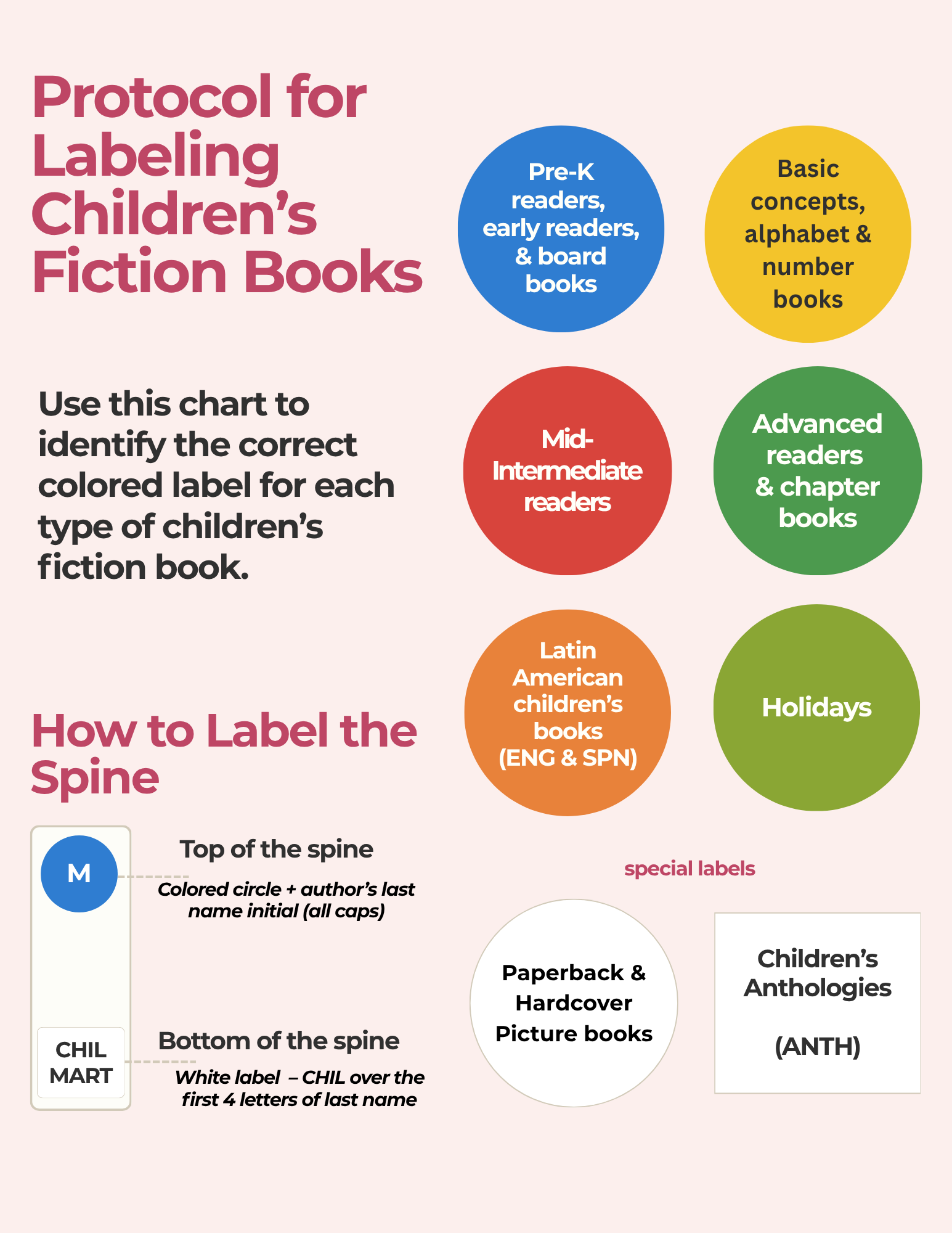
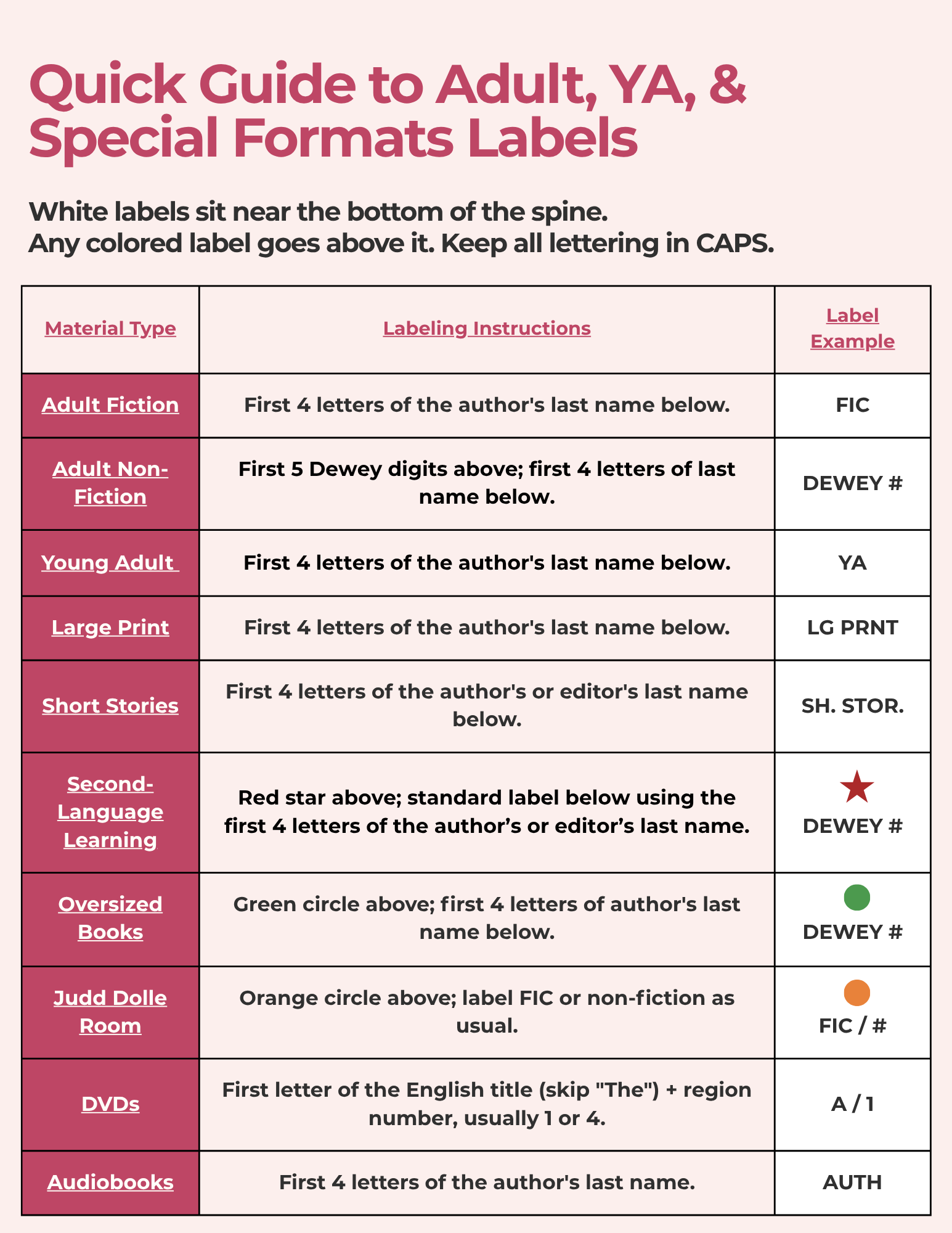
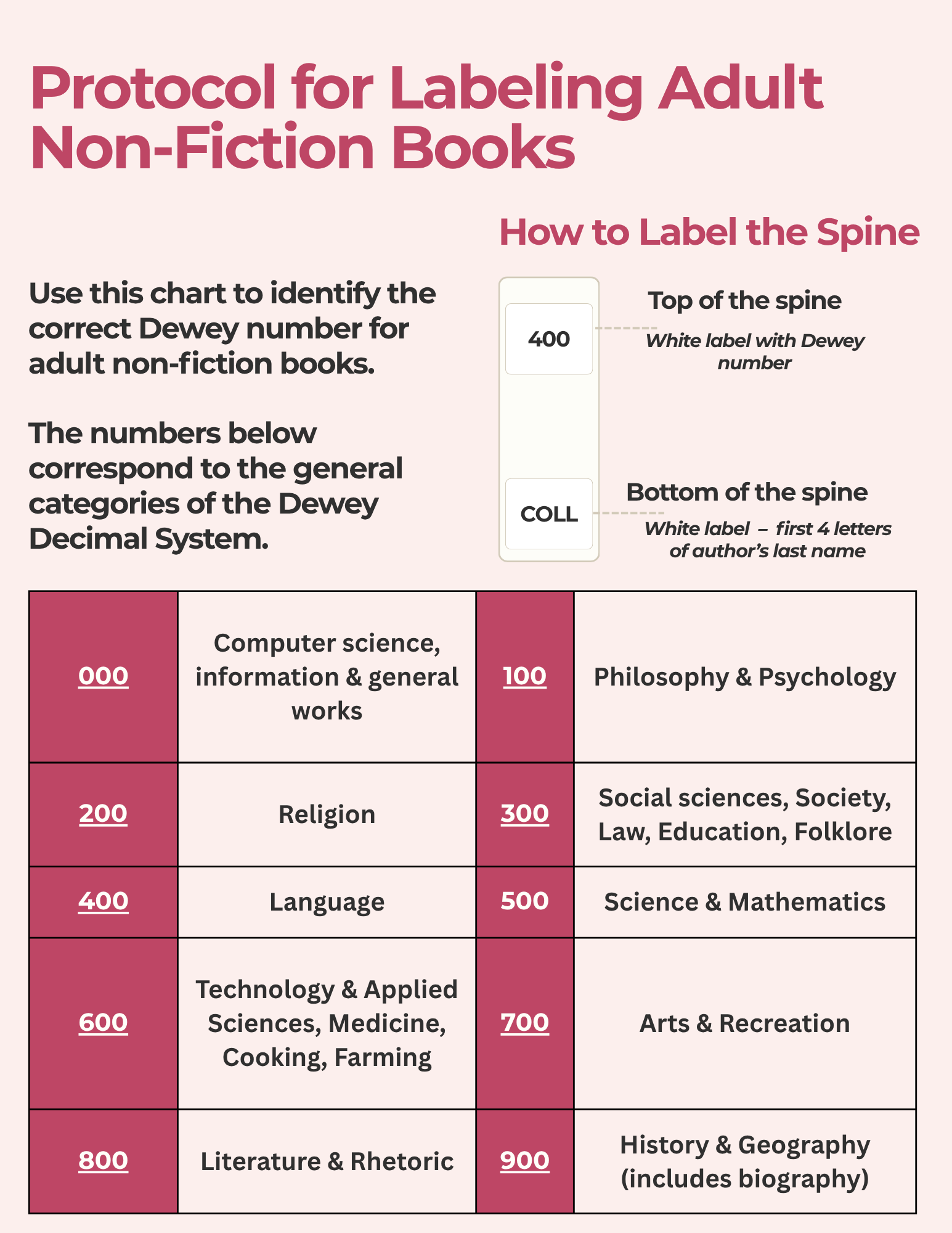
Printable Guides
Still Have a Question?
Can't find what you're looking for? Send us your question or suggest something you'd like to see added to the Volunteer Toolkit.