Access Your MEL Shop Account
If you have had the occasion to wonder about an order you placed online in the MEL Shop for a tour, tasting, exercise class or activity, we’re happy to announce that you now have access to that information. Look for the “Login” button in the header of any page on the MEL website:
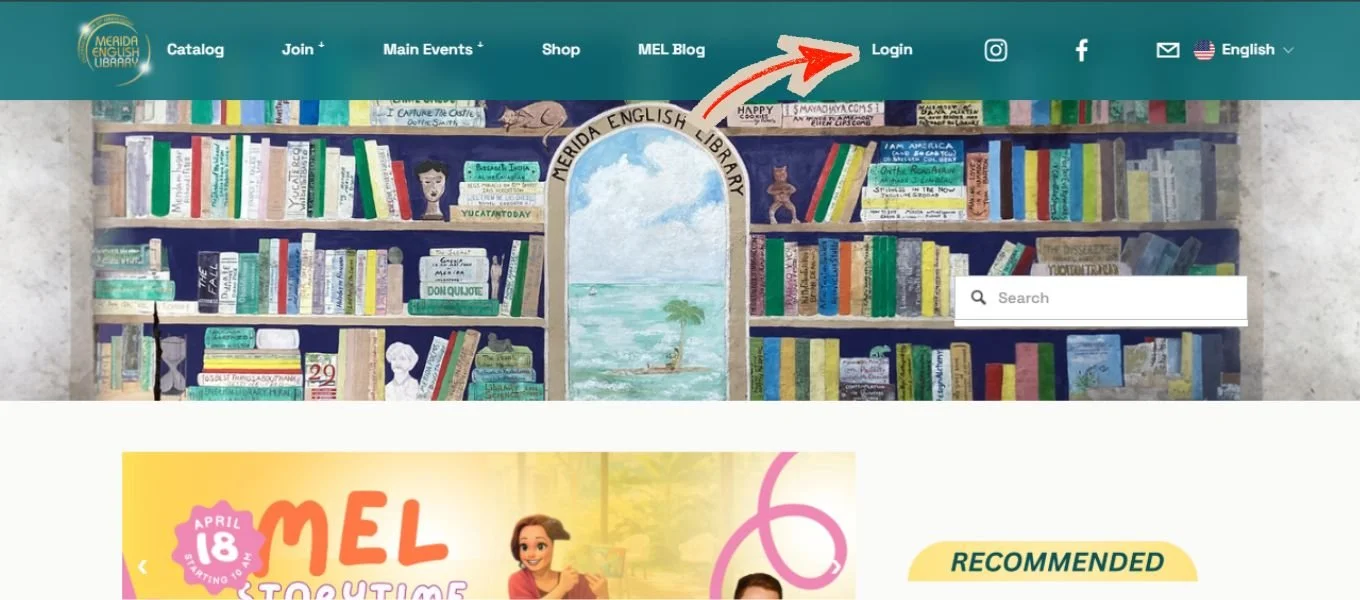
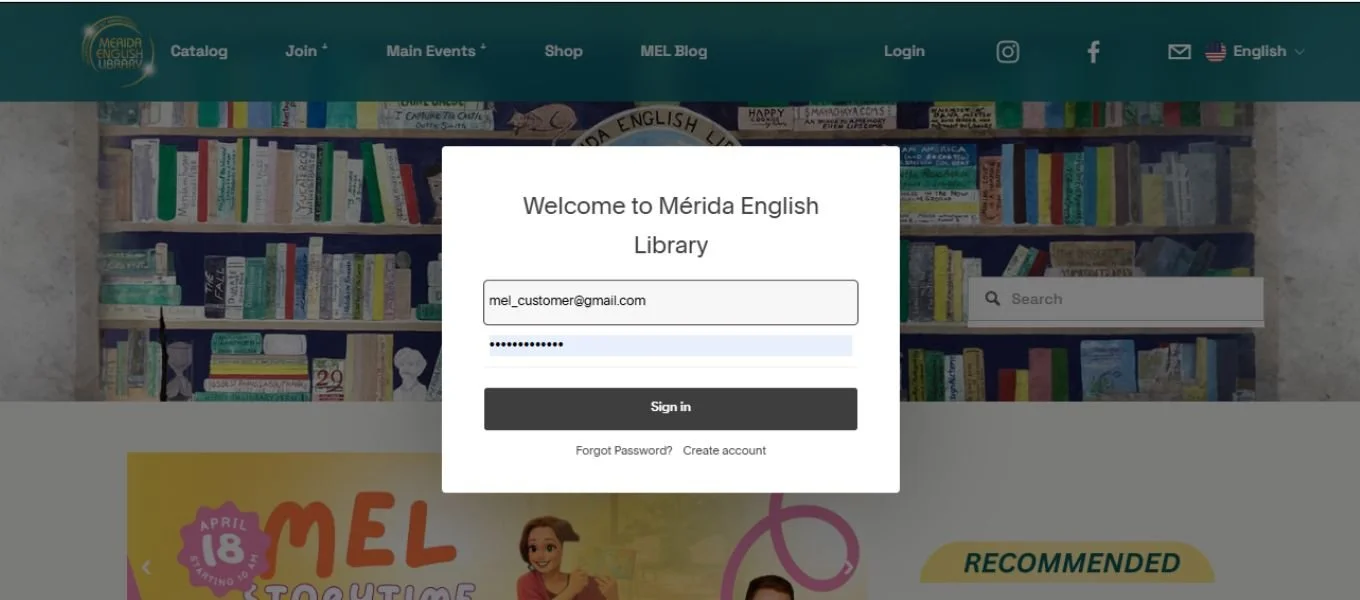
Clicking that Login button will bring up an account login box. Enter your email address and password and click “Sign in”. Notice you have the ability to reset your password, or to create a new account at this time.
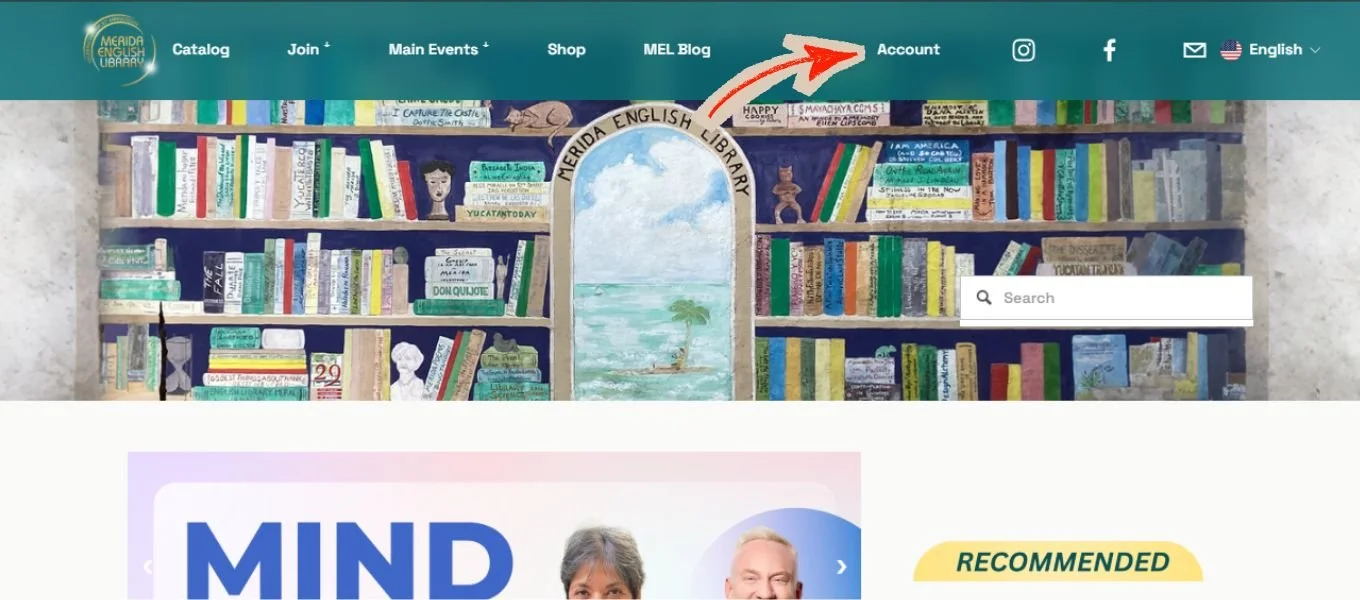
When you have successfully completed the sign-in process, you will notice that the “Login” button has now changed to “Account”. It will remain this way until you sign out of your account.
The Account button gives you access to your account overview, where you will see options to look at your order history, add payment information, and view or update your profile including name, email address and password. You can also sign-out at this location.
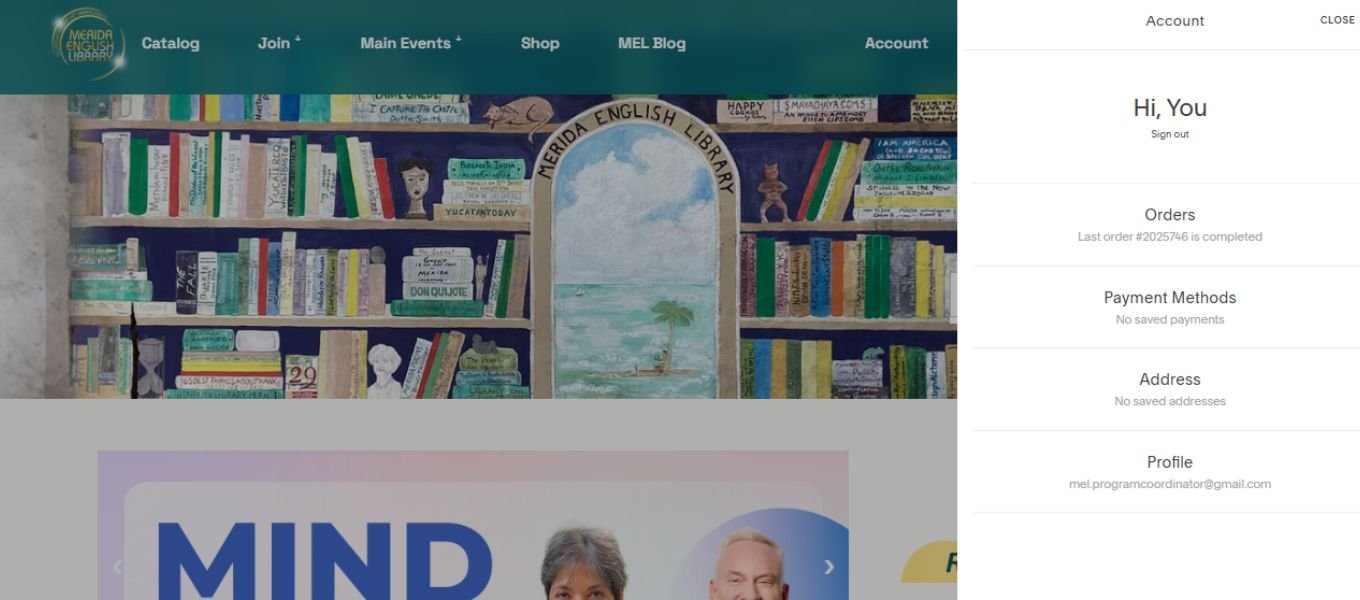
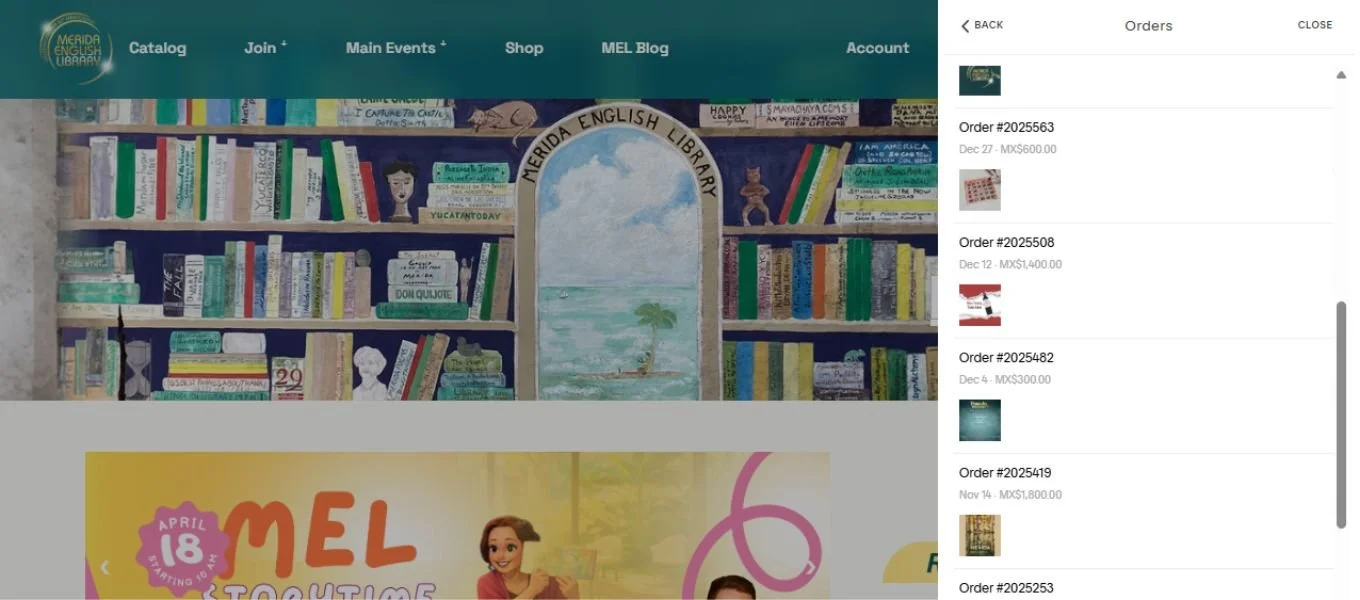
If you click “Orders” you will be shown a list of the orders places using this email address:
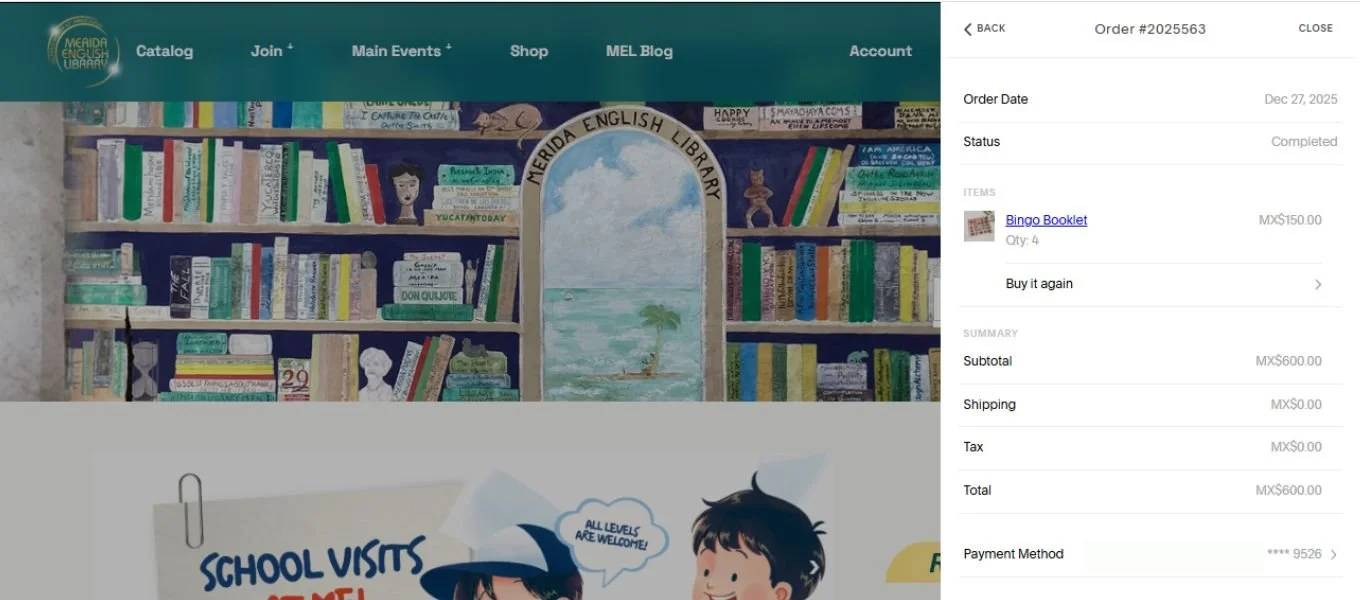
Clicking on an order will show you the details of that purchase, including a “Buy It Again” option.
Any questions? Please send us an email.